Team operations·Shift handoff
Review open conversations before a shift change
Use inbox filters, assignments, notes, and conversation status to hand a WhatsApp support queue to the next person without losing context.
A shift change is where a shared inbox proves its value. The next person should be able to open the workspace and understand what needs attention without asking for a private summary of every customer.
This checklist is short on purpose. Use it at the end of a shift or before a busy teammate hands the queue to someone else.
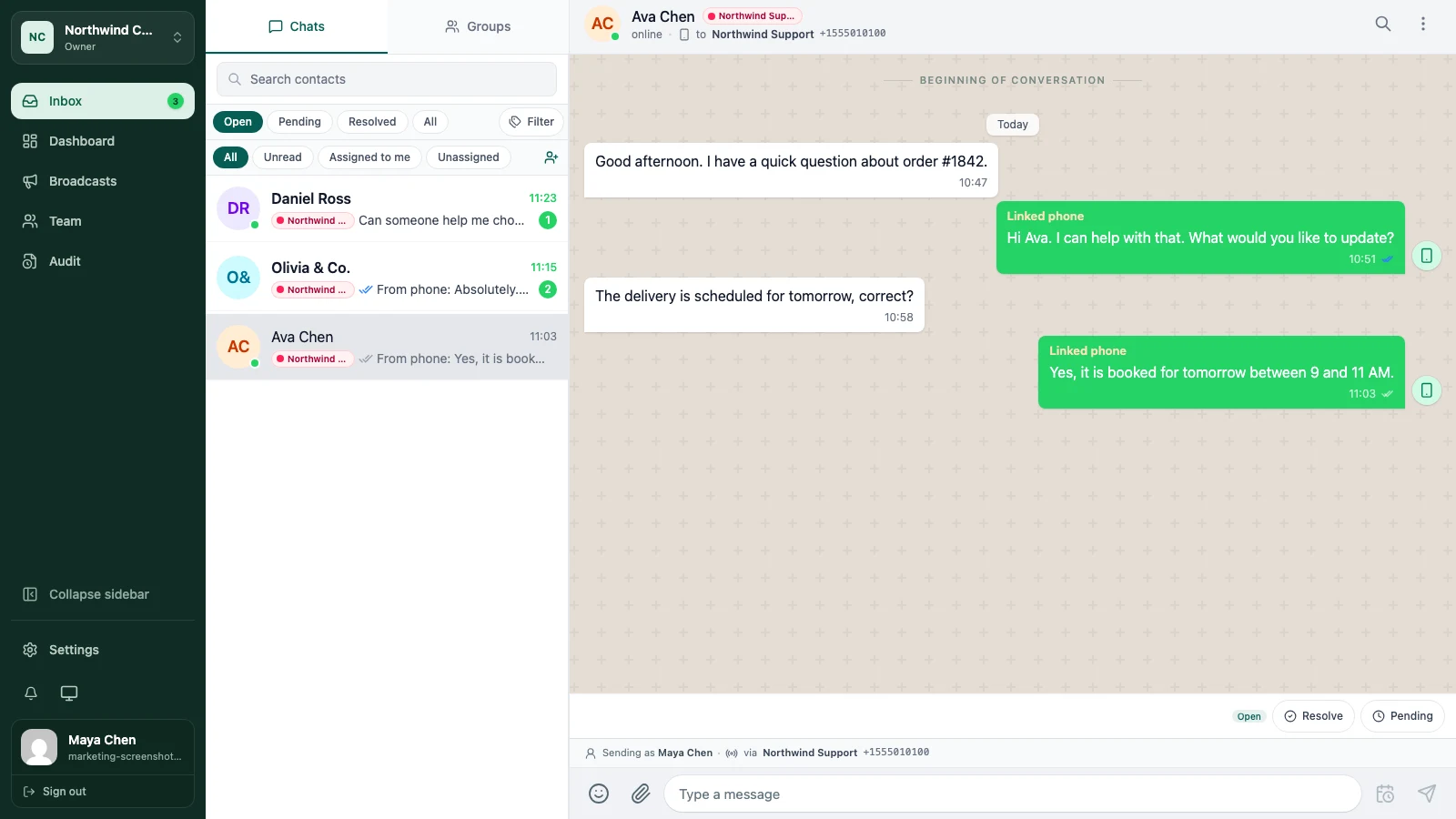
1. Start with the active queue
Open Inbox and review Open, Unread, Assigned to me, and Unassigned. Start with unanswered customer messages, then look for conversations that have been open longer than your team expects.
Do not treat the inbox count as a to-do list by itself. A conversation may be open because it is waiting for the customer, so read the status and note before deciding what to do.
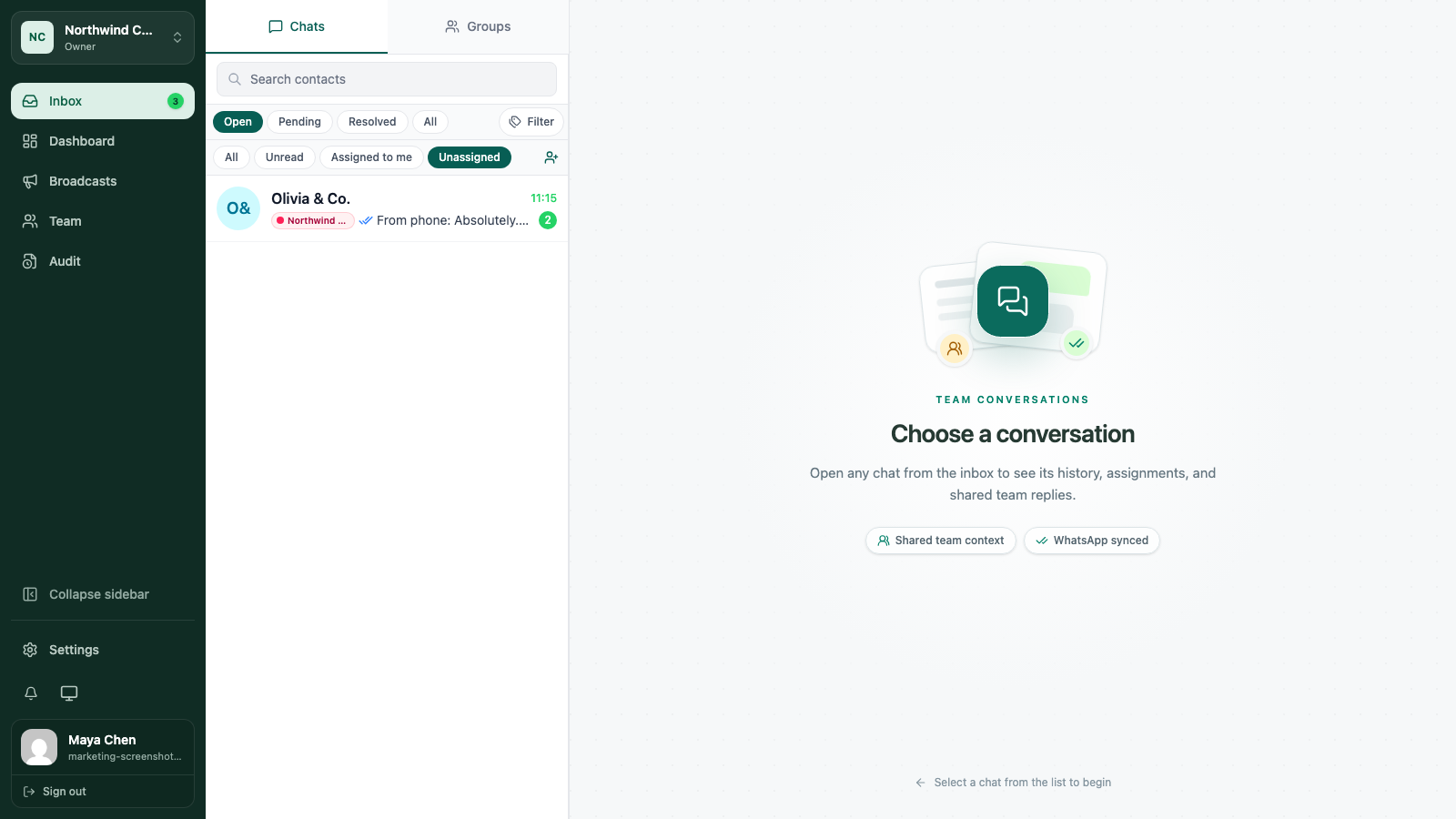
2. Give every active thread an owner
An unassigned conversation is a decision waiting to happen. Assign it to the person who will send the next reply or make the next internal decision.
If the owner is leaving for the day, unassigning without a new owner only hides the handoff. Transfer the responsibility and explain the next step in a shared note.
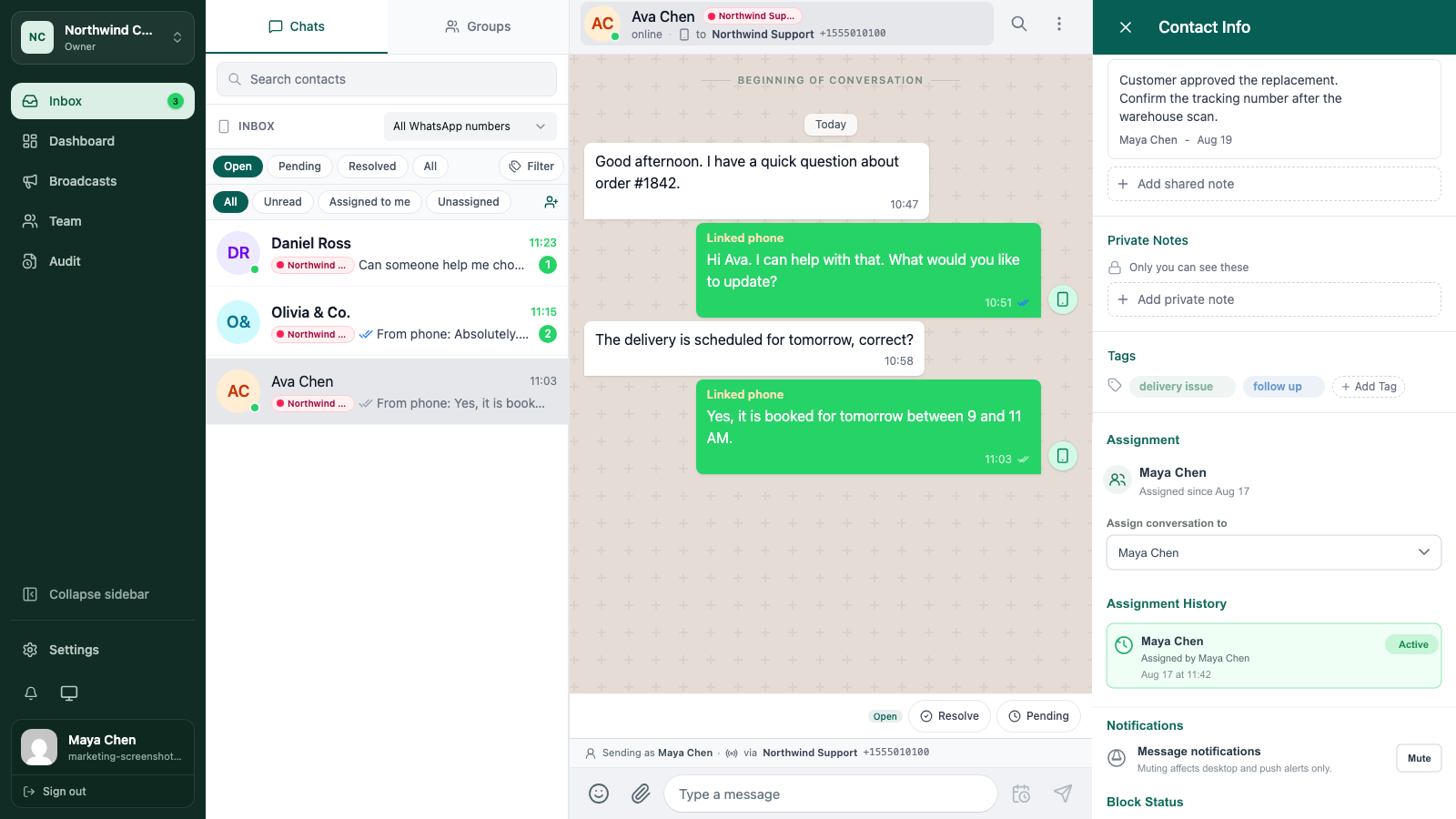
3. Write the small note that saves the next ten minutes
A handoff note should mention the request, the latest decision, and the next action. Add a time when timing matters.
“Waiting for customer to confirm the delivery address” is useful. “Follow up” is not enough for someone who was not in the original conversation.
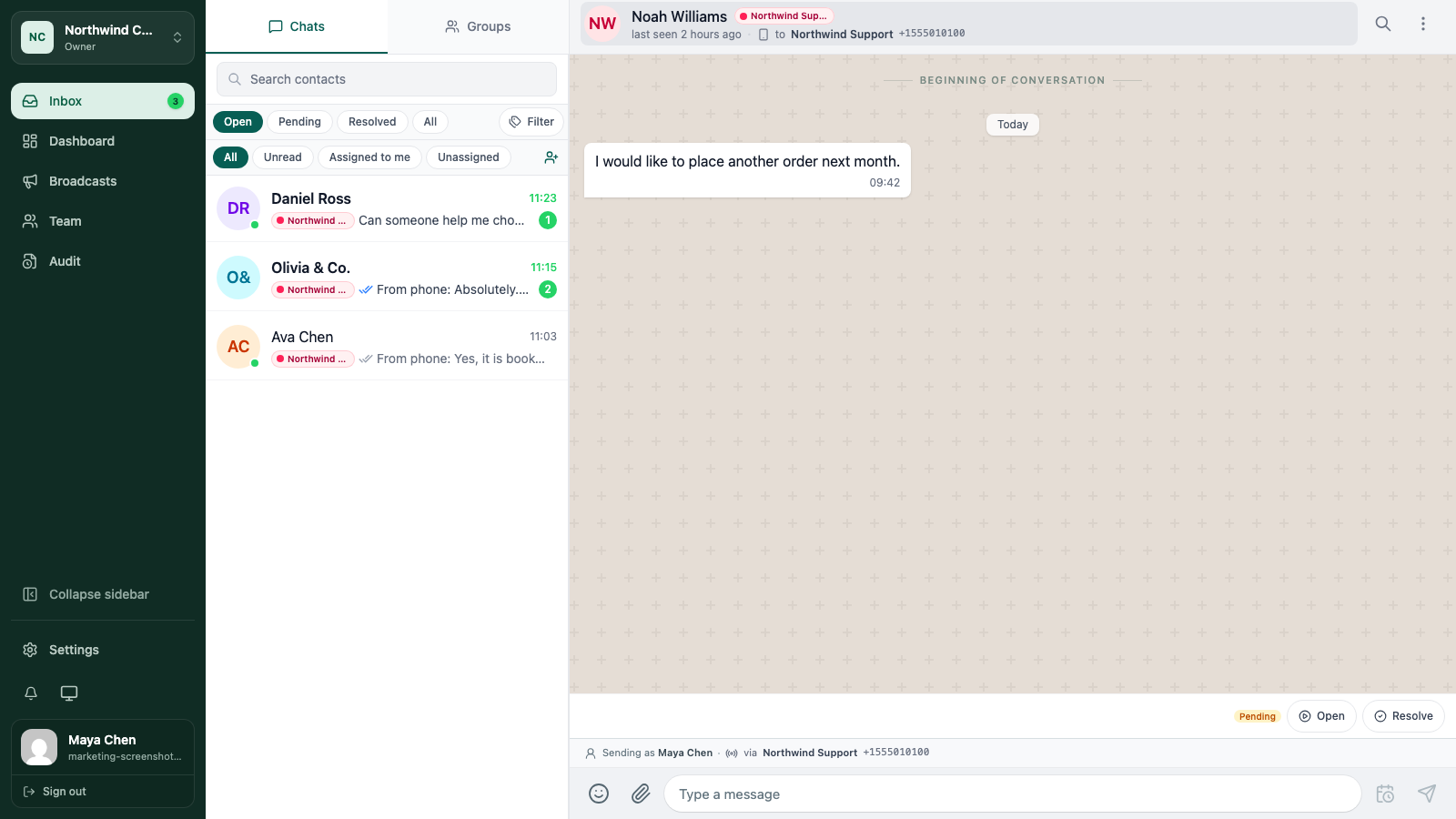
4. Leave statuses honest
Resolve work that is complete. Leave a conversation pending when it is waiting for a customer, a colleague, or an outside event. Keep it open when the team still needs to act now.
The status should tell the next person what kind of attention the conversation needs, not make the queue look smaller than it is.
The five-minute handoff
Before you sign off, check:
- No unread customer message is sitting without an owner.
- Every assigned conversation has a real next action.
- Shared notes contain the promises that matter.
- Resolved work is not mixed into the active queue.
- The incoming teammate knows where to start.
For a deeper workflow, read assign conversations and use notes and tags.
Keep going
Try the workflow with one real conversation.
Create a small Cloud workspace and test the handoff with a teammate, or use the open-source application on infrastructure you control.