Daily workflow·Customer context
Use notes and tags to keep customer context
Keep team context beside the WhatsApp conversation with shared notes, private notes, and tags that make follow-up easier.
A conversation tells you what the customer said. Notes and tags tell the team what to do with that information next.
Keep them practical. A short note about a promised callback is useful. A long paragraph that repeats the whole conversation is hard to maintain and easy to ignore.
1. Open the contact profile
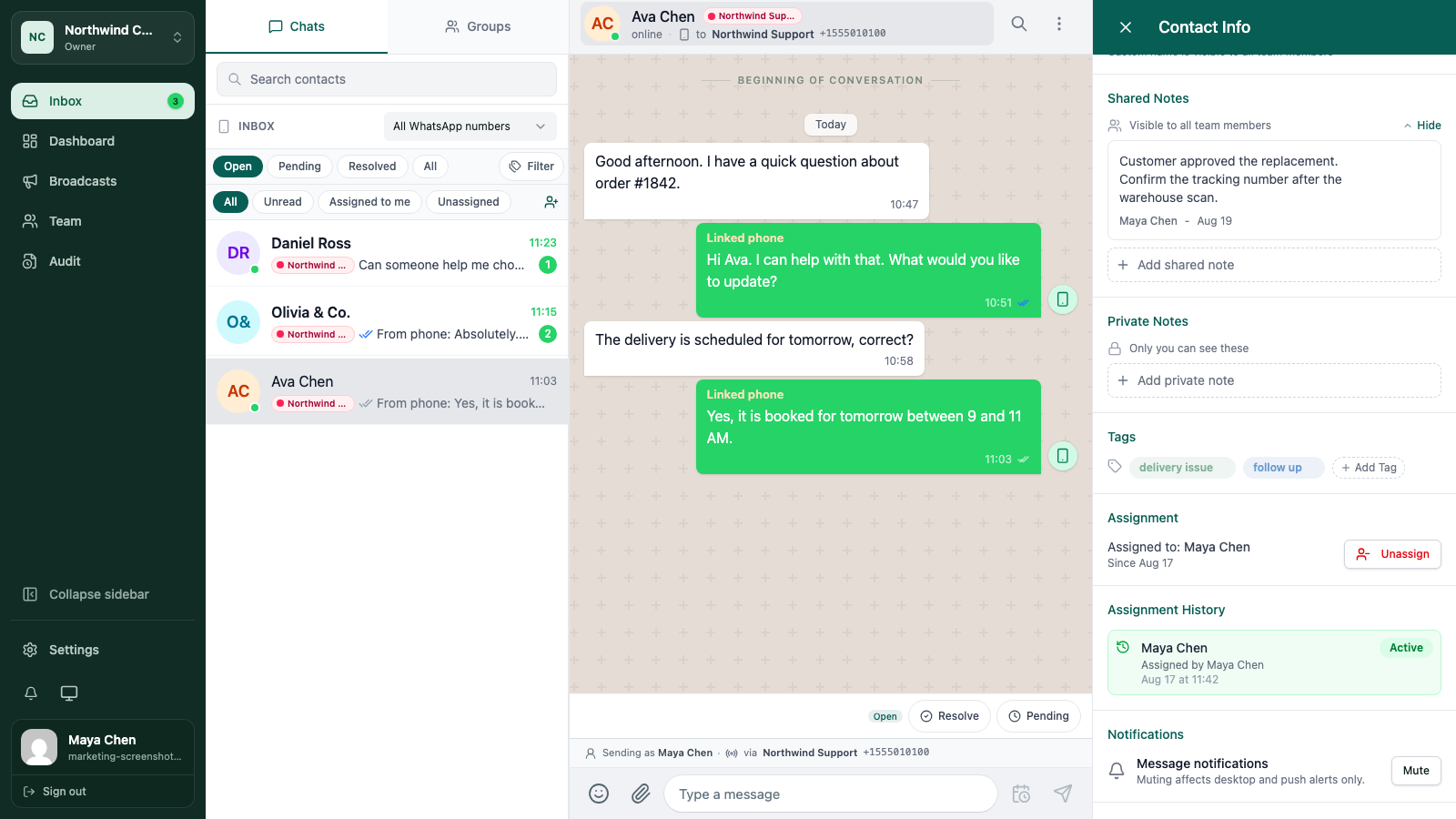
Choose a conversation in Inbox and open the contact details. The profile is where WATeamInbox keeps the customer context that should remain available when different teammates take turns replying.
The exact sections you can edit depend on your role. If you cannot change notes or tags, ask a workspace admin to review your access.
2. Write a shared note
Use Shared Notes for information another teammate needs to see. Good shared notes answer one of these questions:
- What did we promise?
- What is waiting on another team?
- What should the next person check before replying?
- Is there a customer preference that affects the next action?
Write the newest decision in plain language. If the situation changes, update or remove the old note so the profile does not become a museum of outdated promises.
3. Keep personal reminders private
Use Private Notes for reminders that are useful to you but do not belong in the team record. A private note is still workspace data, so do not treat it as a place for passwords, payment details, or information your organisation should not retain.
If the whole team needs to act on the detail, it is not a private note. Put it in a shared note instead.
4. Add a tag that helps the next decision
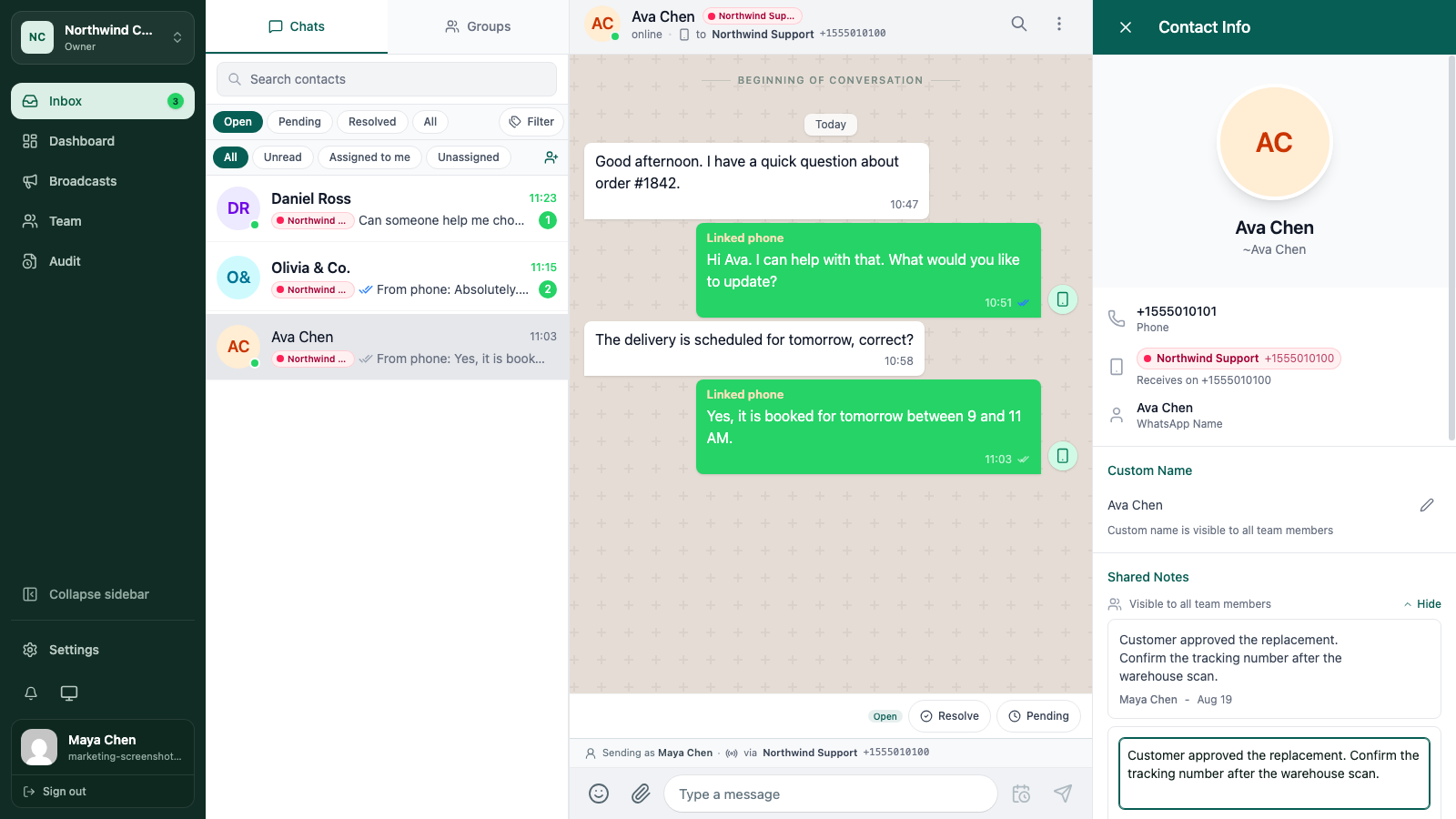
Tags are most useful when they describe a state your team can act on. Examples include quote requested, delivery issue, VIP, or follow up tomorrow.
Choose an existing tag when one fits. Create a new tag only when the team will use the same meaning again. Ten clear tags are easier to trust than forty tags that overlap.
Tags stay with the contact, so use them for durable context. Use a note for the detail and timing around a particular request.
5. Use notes and tags together
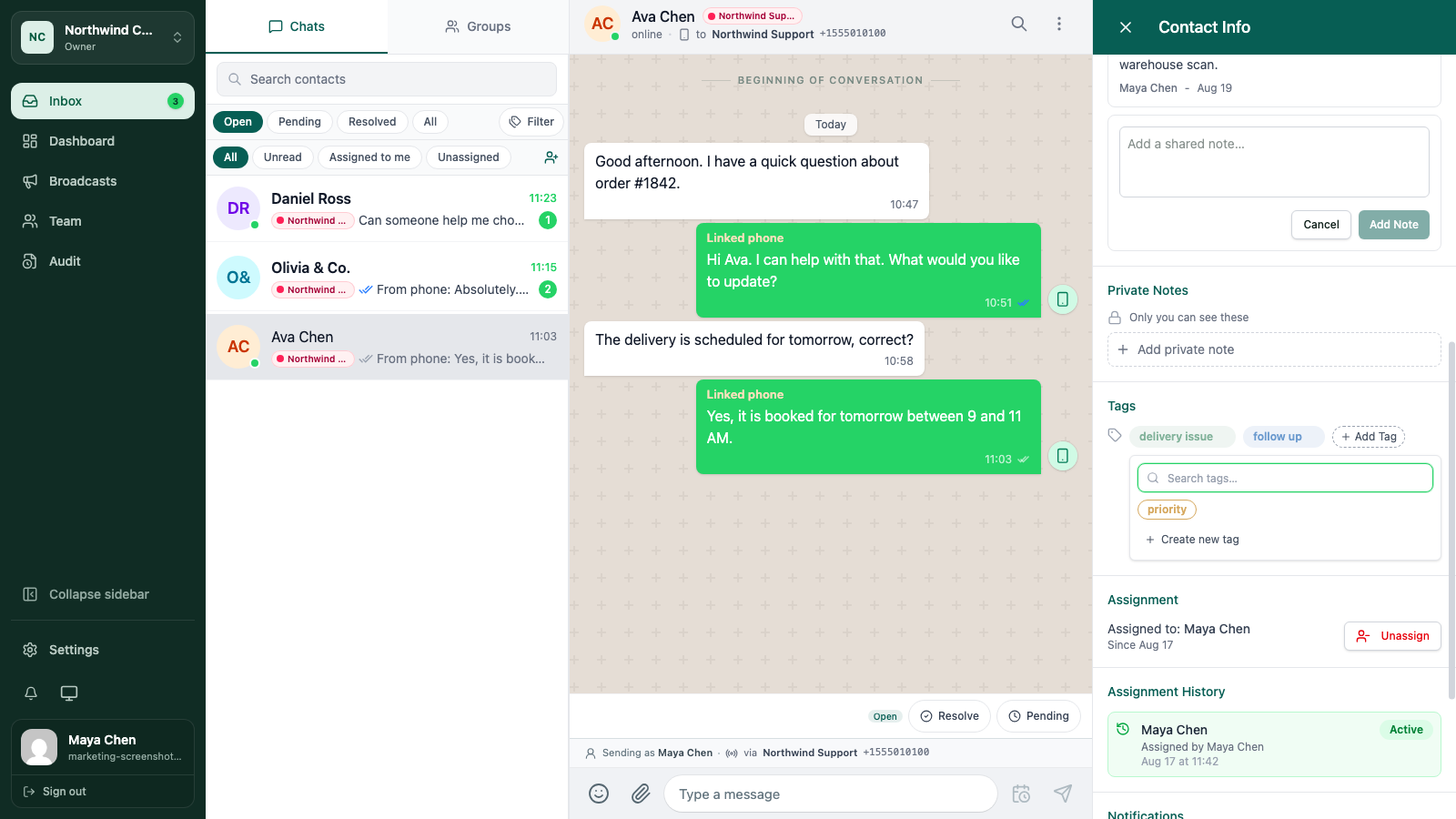
A tag can make a conversation easy to find. A note can explain what the tag means for this person.
For example:
- Tag:
delivery issue - Shared note: “Replacement parcel approved. Confirm tracking number after the warehouse scan.”
That combination helps the next teammate understand both the category and the action.
Keep sensitive information out
Only store customer information your team needs for the work. Follow your organisation’s retention rules, and do not put secrets or full payment information into notes or tags.
When the context is no longer useful, update it or remove it. A clean profile makes the next handoff faster.
Keep going
Try the workflow with one real conversation.
Create a small Cloud workspace and test the handoff with a teammate, or use the open-source application on infrastructure you control.