Daily workflow·The inbox
Work from the omnichannel inbox
Learn the daily inbox loop: find the right conversation, read the history, reply with context, and close the work clearly.
The shared inbox is where the team does the work. It is not just a larger version of the phone app. Each person signs in separately, while the conversation history, ownership, and team replies stay visible in one place.
The simplest daily habit is: open the thread, understand the last exchange, decide who owns the next action, and leave the conversation in an honest state.
1. Find the next conversation
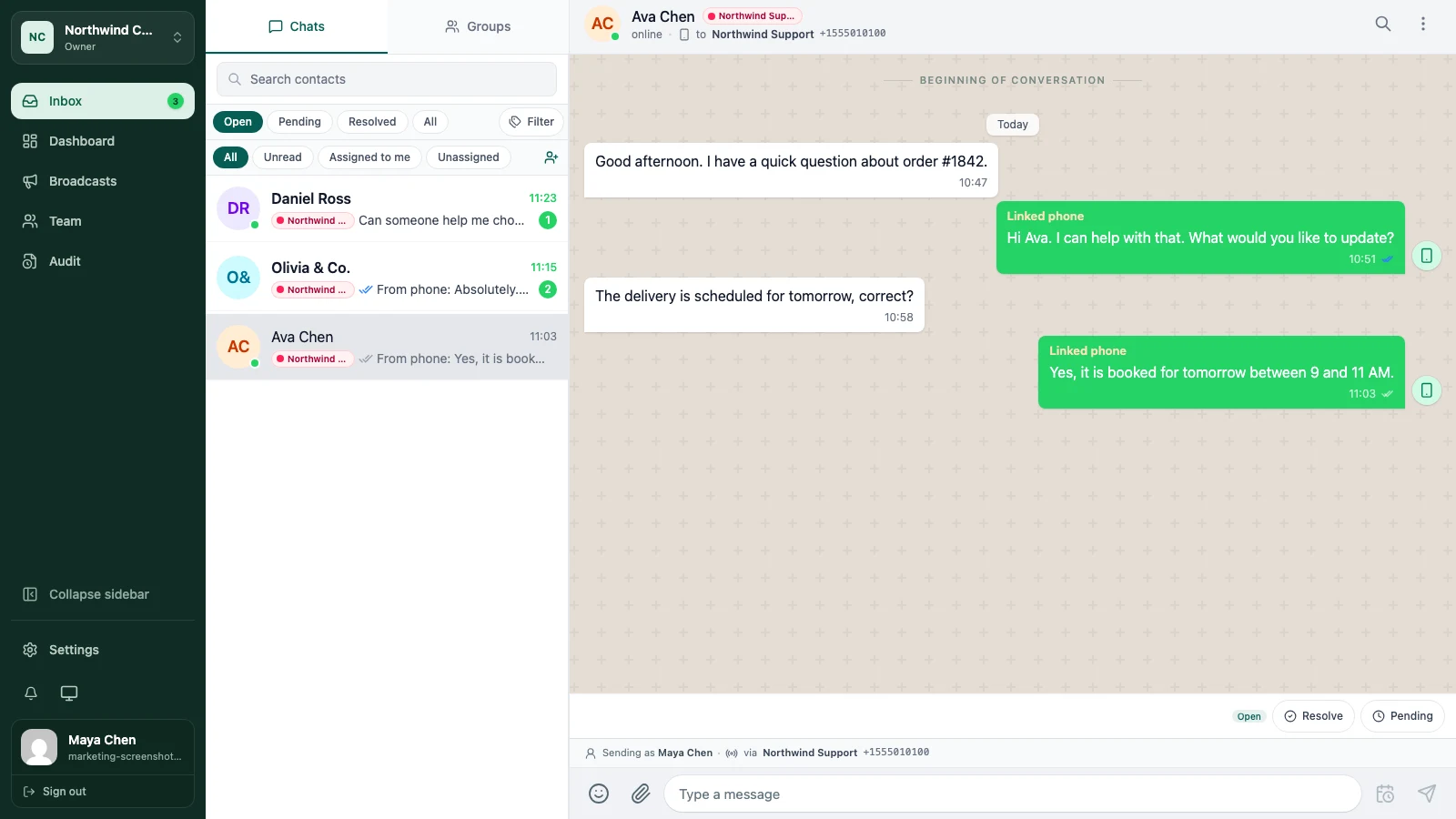
Open Inbox and start with the filters that match your shift. Open shows active work. Pending is useful when you are waiting for a customer or another part of the business. Resolved keeps completed conversations out of the active queue without deleting their history.
The assignment filters help when several people are working at once. Use Assigned to me for your queue and Unassigned when you are looking for work that still needs an owner.
2. Read the thread before you answer
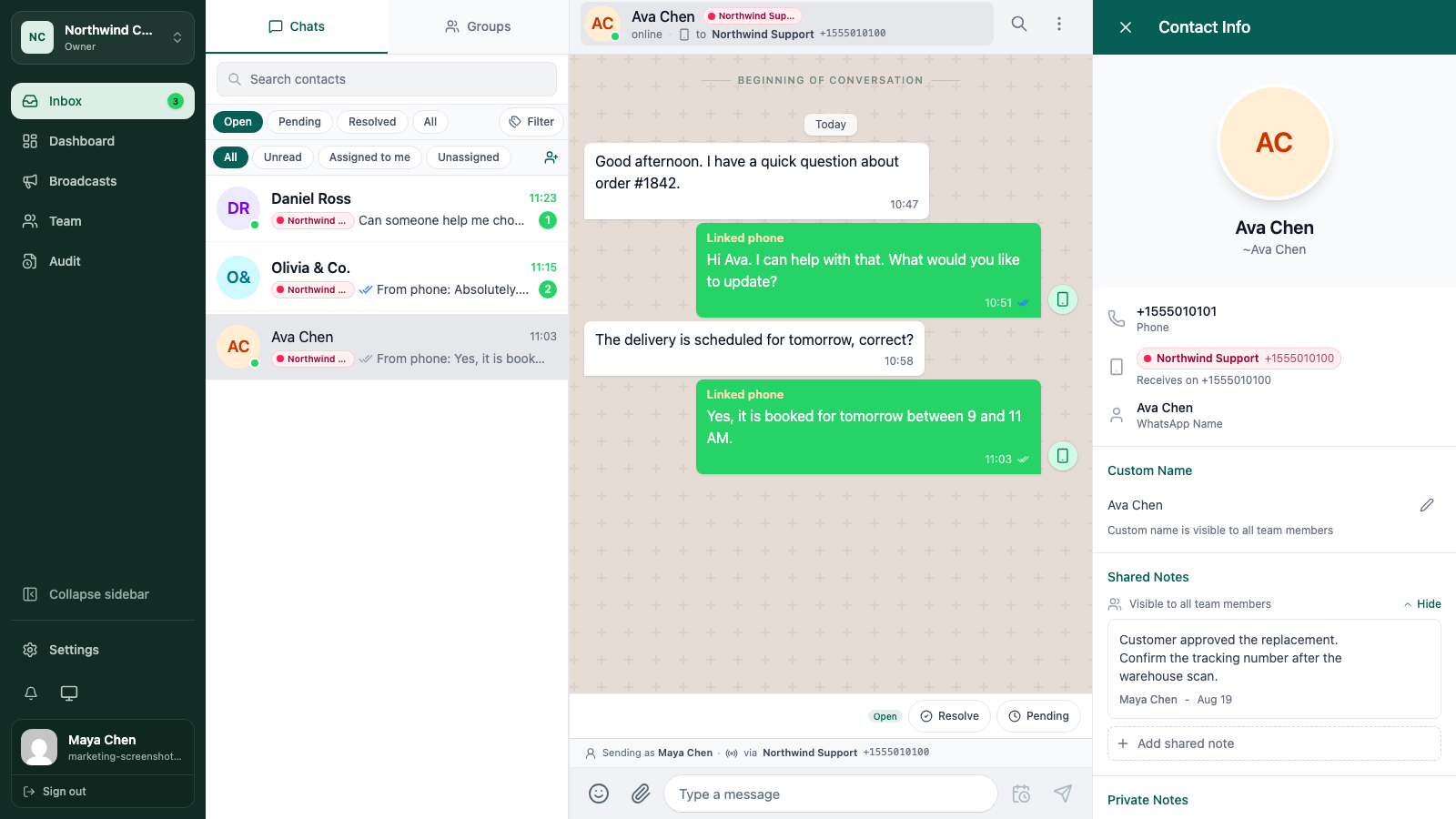
Read the latest messages and scan far enough back to understand the request. Check the contact details and any notes or tags in the profile panel before you make a promise.
This small pause prevents the most common shared-inbox mistake: answering the latest sentence without knowing what another teammate already agreed to.
3. Reply from the inbox
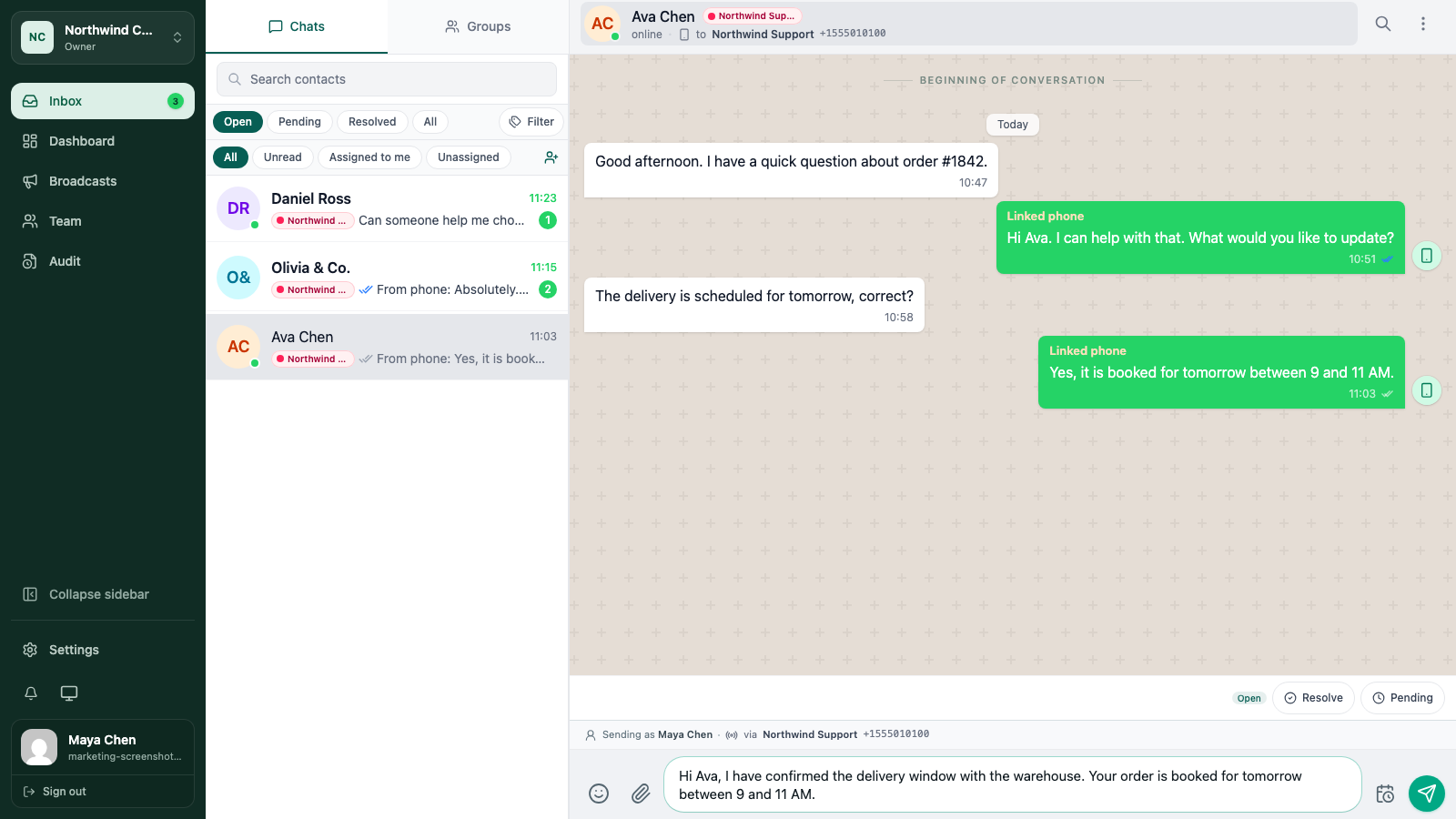
Write the reply in the message composer. You can send text, add supported attachments, use a saved quick reply, or schedule a follow-up when the message should go out later.
Before sending, check the channel and connection identity shown by the composer. If the workspace has multiple WhatsApp numbers or Telegram bots, the sending identity matters. Available attachment and message actions can differ by provider.
Watch the message status after you send. A reply that is still pending is different from a reply that was delivered, and the team should know which one it is before closing the conversation.
4. Make ownership visible
If you are taking the next action, assign the conversation to yourself. If someone else should handle it, leave a shared note and make the handoff visible rather than relying on a private message outside the inbox.
The assignment guide covers the handoff in more detail.
5. Resolve or leave it pending
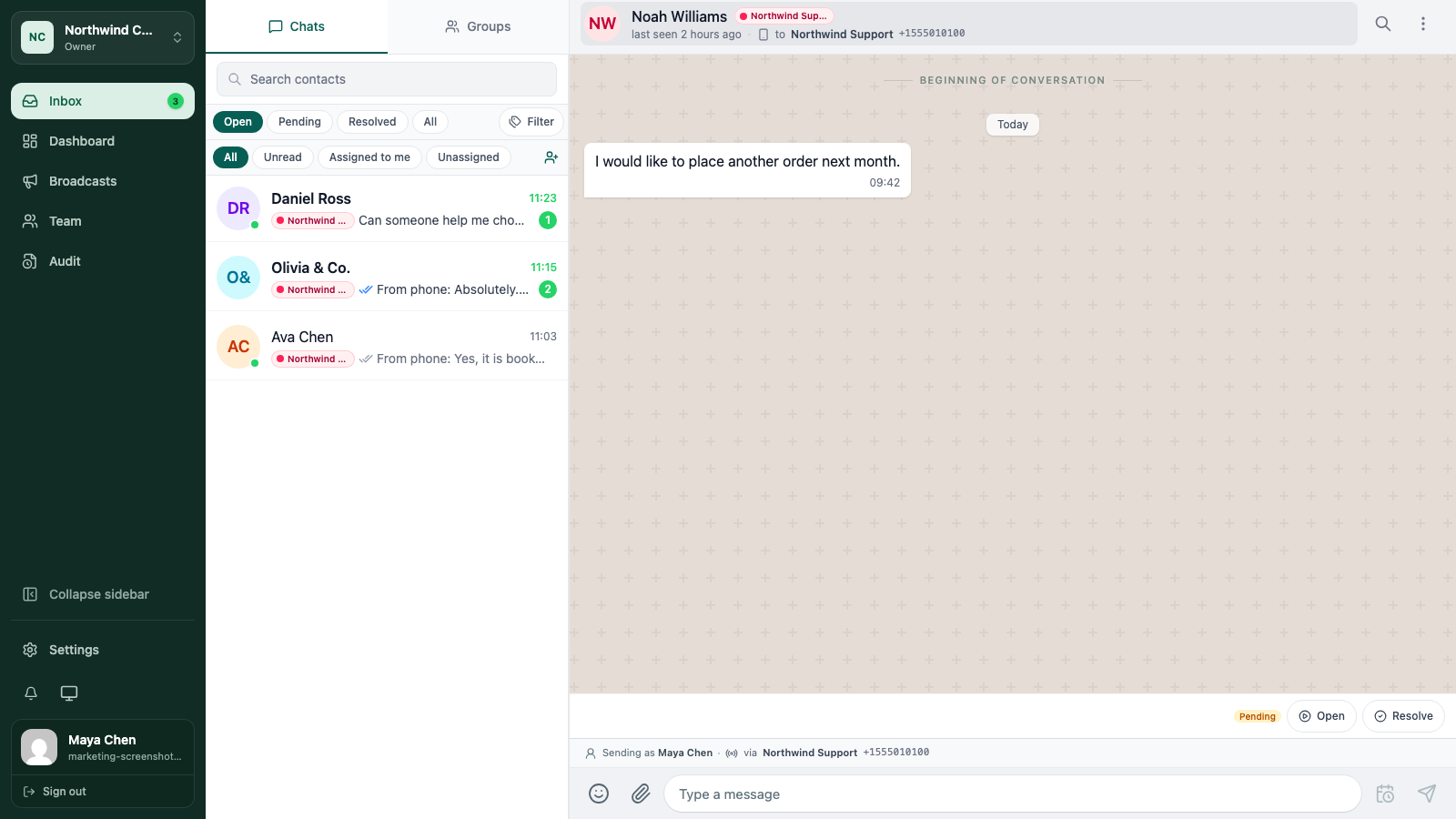
Use Resolve when the customer’s request is complete and no one needs to act. Use Pending when the conversation is waiting for a customer, a colleague, a delivery, or another clear next step.
A resolved conversation keeps its history. It can be found again through search or reopened when the customer comes back.
A good end-of-shift handoff
Before you finish a shift, look at your assigned conversations and ask:
- Is every active conversation assigned to the person who will act next?
- Does a teammate need a shared note to understand the context?
- Are completed conversations resolved rather than left open?
- Did any reply fail or remain unsent?
That check takes less time than explaining the whole queue in a separate chat.
Keep going
Try the workflow with one real conversation.
Create a small Cloud workspace and test the handoff with a teammate, or use the open-source application on infrastructure you control.