Daily workflow·Ownership
Assign WhatsApp conversations and hand off cleanly
Give every active conversation an owner, leave useful context, and make shift changes easier with visible assignments.
Assignments answer one question quickly: who is responsible for the next reply? That answer matters even when everyone can see the conversation. Without it, a team can send two replies, leave a customer waiting, or assume someone else is handling the request.
Use assignments for ownership, and use notes for the context around that ownership. They solve different parts of the handoff.
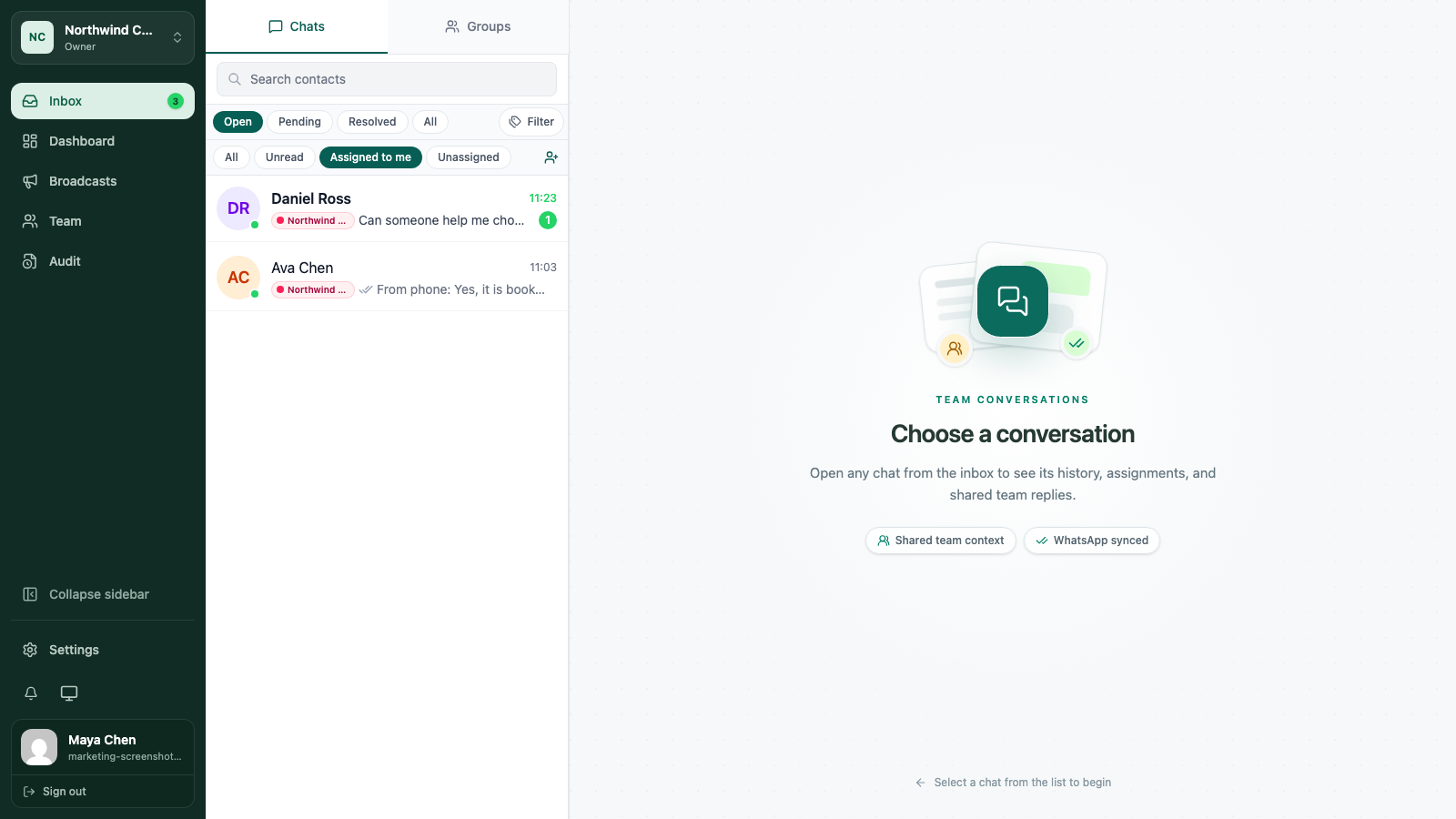
1. Open the customer conversation
From Inbox, select the conversation that needs an owner. Read the latest messages first, then check the contact profile so you do not take work that another teammate is already handling.
If the conversation is resolved but the customer has returned, reopen it before you start the new piece of work.
2. Check who owns it
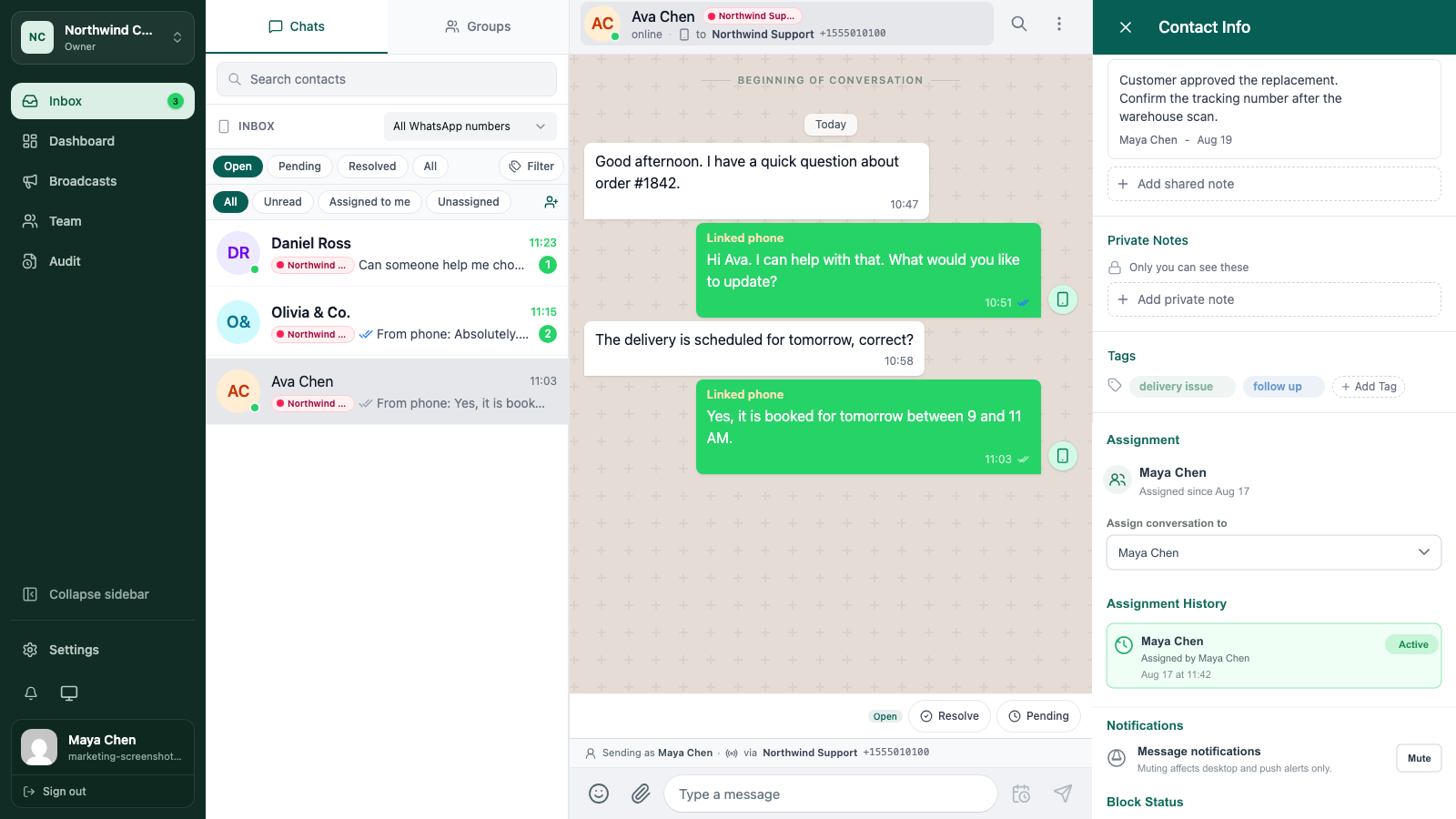
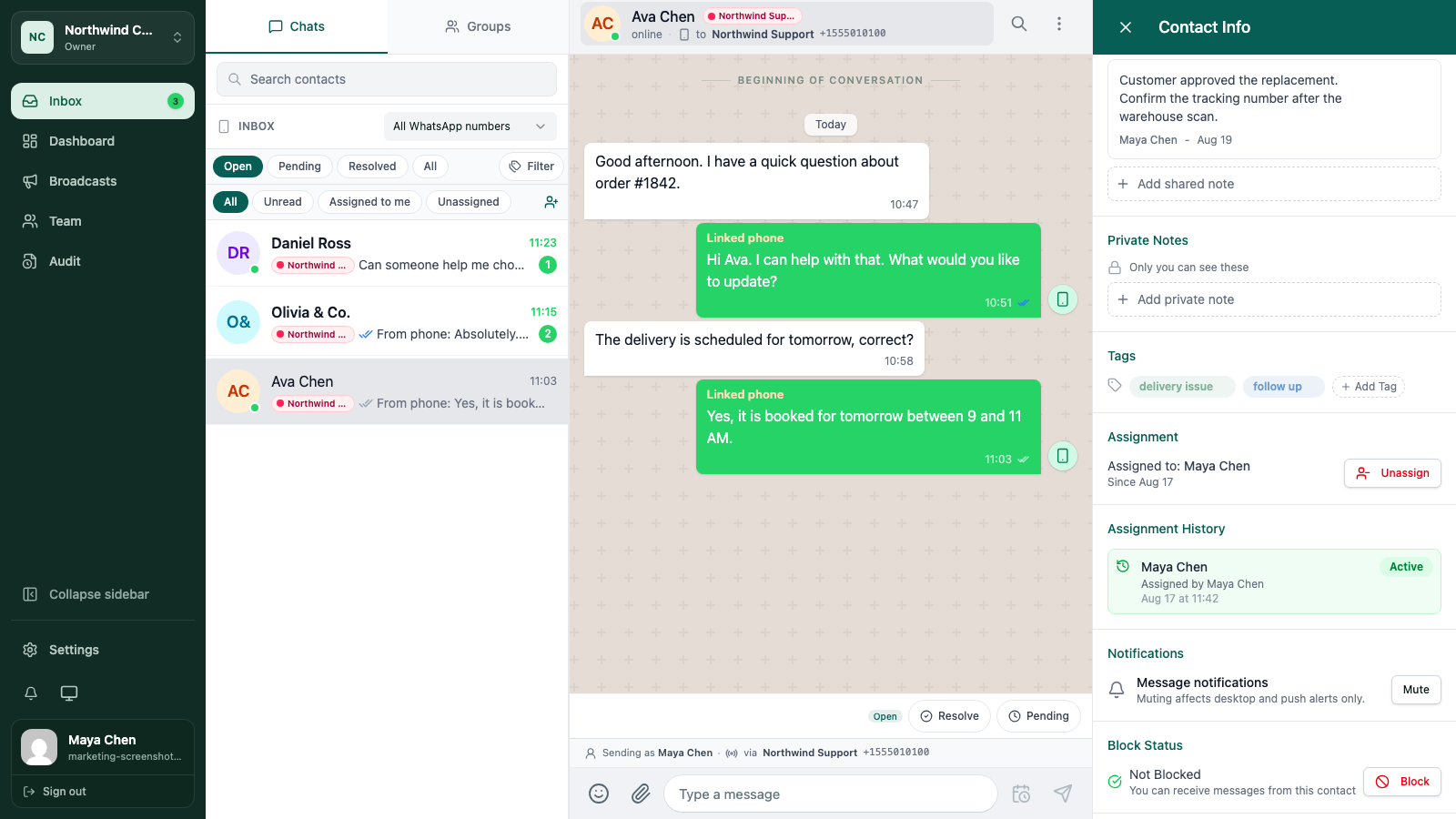
The contact profile includes an Assignment section. It shows the current owner and when the assignment started. If no one owns the conversation, it will say so clearly.
An existing owner is a useful signal, not a reason to stop communicating. If the customer has replied and the owner is away, follow your team’s handoff rule and make the change visible.
3. Assign the next action
If you are taking the work, choose Assign to me. In workspaces where your role includes broader assignment access, use the available controls to select the teammate who should act next.
Do not assign a conversation just to make the list look tidy. Assign it to the person who can make the next decision or send the next useful reply.
4. Add the context a teammate needs
A good handoff note is short and specific. Include:
- what the customer is asking for
- what has already been promised
- what is waiting on another person or system
- the next action and its deadline, if there is one
For example: “Customer approved the replacement. Warehouse needs to confirm stock before Maya replies tomorrow morning.” That is more useful than “Please follow up.”
Use a shared note for information the next person should see. Keep personal reminders in a private note when the detail is not part of the team’s shared process.
5. Finish the handoff
The outgoing teammate should make sure the assignment and note are saved, then leave the conversation in the right state. The incoming teammate should read the thread and note before replying.
When the work is complete, resolve the conversation. When it is waiting, leave it pending and make the reason clear in the note.
A simple assignment rule
If a conversation has an unanswered customer message, it has an owner. If the owner changes, the reason and next step are visible. If no action remains, the conversation is resolved.
That rule is easy to teach and gives a manager a clear queue without turning the inbox into a meeting.
Keep going
Try the workflow with one real conversation.
Create a small Cloud workspace and test the handoff with a teammate, or use the open-source application on infrastructure you control.